You found the right person. Their details are sitting on the page in front of you — an email in the footer, a phone number on a contact card, a couple of addresses buried in the markup. So you copy them into a spreadsheet, and now you have a row you're not sure about: is that the direct line or the switchboard, does that email still work, and which phone goes with which person? Collecting contact details by hand is fast to start and slow to trust. This guide shows how to find verified emails and phone numbers on any page in a way that's structured, confidence-scored, and ready for your CRM — or how to hand the whole job to a team instead.
The problem isn't finding contacts — it's trusting them
Manual contact collection fails in three predictable ways. You miss details that are in the page but not obvious. You mis-pair an email and a phone that belong to different people. And you have no idea which of the values you grabbed are real versus a generic info@ catch-all. The result is a list that looks done but isn't outreach-ready, because every record needs a second look before you'd actually use it.
Fixing that means three things the page itself can't give you: coverage (catch everything that's there), confidence (know which values to trust), and pairing (keep each person's email and phone together).
How to find and verify contacts on a page
Step 1 — Harvest what's on the page
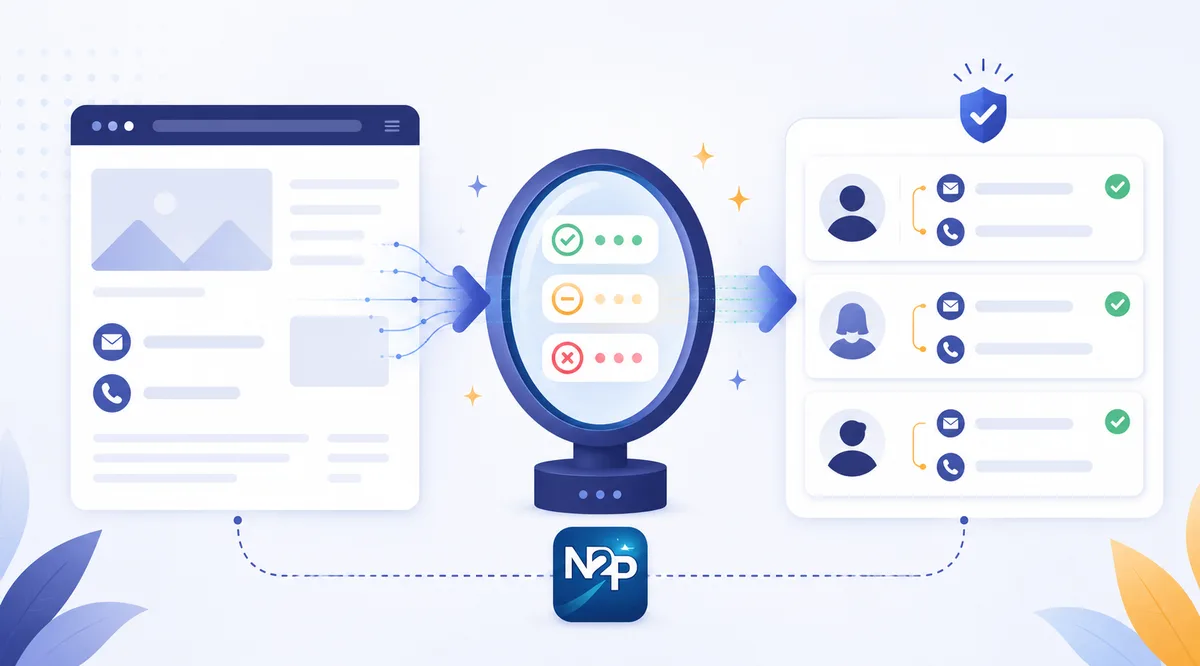
Open any page, click the extension, and get a categorized list of the emails and phone numbers on it. Extraction runs entirely in your browser — it reads what's rendered on the page, not a hidden database — so you're only ever collecting what's already visible to you.
Step 2 — Read the confidence scores
Every value comes back scored High, Medium or Low confidence, with email–phone pairs linked and phone numbers normalized to international format. That scoring is the difference between a raw scrape and a usable record: you know at a glance which contacts are safe to use and which need a look, instead of treating every value as equally real.
Step 3 — Verify the uncertain ones with AI
For the candidates you're unsure about, optional AI verification confirms genuine contacts and drops false positives — a check mark, a caution flag, or a reject. It runs only on the uncertain candidates, batches up to 25 at a time for a single credit, and is off by default, so you spend nothing until you ask for it. It confirms whether a contact is real, not whether it's deliverable.
Step 4 — Capture across pages, then export
One page is rarely the whole job. Capture across many pages into a single deduplicated session, or run a bulk list of URLs, then export to CSV, XLSX, JSON or TXT. Because the data comes out structured and paired, it imports cleanly instead of needing a cleanup pass first.
Self-serve, or hand it to the team
Harvesting on the page is the do-it-yourself path, and it's free to extract. But when the job is a few thousand records rather than a few, the same work is available as a managed service. Lead data enrichment fills in the missing fields on a list you already have, and profile-to-company mapping connects people records to their company's firmographics — both delivered as an import-ready file, charged only on delivery. The rule of thumb: harvest as you research, and outsource when the volume outgrows doing it by hand.
Either way, verified contact data is only half of a good record. Pairing it with a fit score keeps your outreach pointed at the right people — the mechanics of that live on the lead scoring page, and the wider case for enriched records is in our guide to what lead data enrichment actually fixes.
Turn a page into a clean record
Stop copying contact details you can't trust. Harvest them scored and paired, verify the uncertain ones, and export a record that's ready to use. You can try it on the free trial credits that never expire — start free.