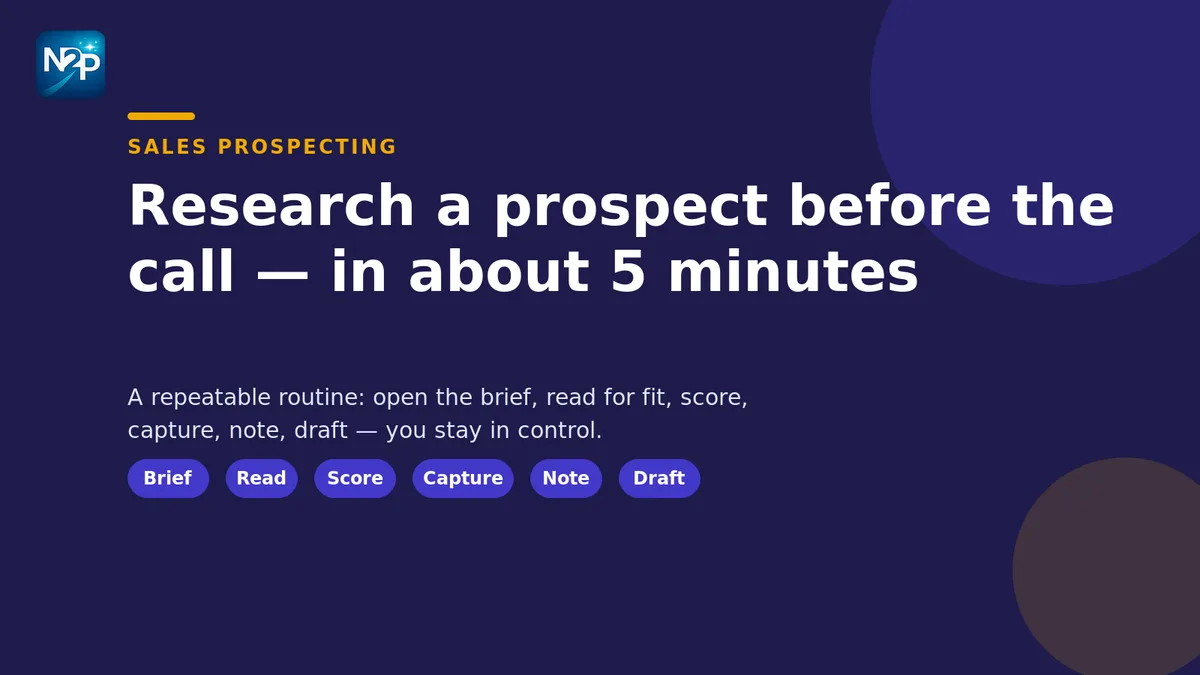
Most reps walk into a call knowing a name, a title, and not much else. The problem isn't effort — it's that pre-call research has no shape, so it either eats twenty minutes or gets skipped entirely. This is a repeatable routine that takes about five minutes, works from whatever public sources you already use, and leaves you with a fit score, two talking points, and an opener you'd actually send.
None of it happens automatically on your behalf. You stay in control at every step: nothing is sent, posted, or connected without you clicking the button. Here's the routine.
Before you start: have one ICP brief open
Research is only fast if you know what you're looking for. A single ICP brief — who you sell to, the signals that mean "good fit," and the ones that mean "skip" — turns a blank page into a checklist. If you've never written one down, our guide to the ideal customer profile, with examples and a template, gets you a usable version in an afternoon. Keep the brief on screen; every step below reads against it.
The 5-minute pre-call research routine
- Open the ICP brief and the prospect's public profile side by side (about 30 seconds). You want both in view so you're scoring against your own definition of fit, not a gut feeling. The profile can come from any public source you already work in — a company site, a directory, LinkedIn™, or a list you exported. (LinkedIn is a trademark of LinkedIn Corporation; NameToProfile is an independent tool and isn't affiliated with or endorsed by it.)
- Read the profile for three fit signals, not the whole thing (about 1 minute). You're hunting for role seniority and scope, company stage or size, and one recent change — a new job, a funding round, a product launch, a hiring push. Those three tell you whether this person can buy, whether the company looks like your best accounts, and whether there's a reason to talk now.
- Score the person against your brief (about 30 seconds). Instead of eyeballing it, run the profile through the AI Sales Assistant in the side panel. It reads the public profile against your brief and returns a fit score with the specific reasons behind it, so your judgment is transparent and consistent from one prospect to the next. Use a Fast score to triage in the moment; save the Deep, LLM-backed pass for the handful of accounts worth a closer read. If you want the mechanics, our fit-scoring framework walks through the Fast-and-Deep approach.
- Pull the contact details you'll actually need (about 1 minute). If the call could lead to a follow-up, capture the emails and phone numbers already visible on the page with ContactHarvest. It scores and pairs what it finds and lets you verify the uncertain ones, so your follow-up record is CRM-ready rather than a maybe. It reads what's on screen — it doesn't reach out to anyone for you.
- Write down two talking points (about 1 minute). Turn the recent change and one fit signal into two things you can open with: a specific reason this is worth their time, and a question that shows you did the reading. Two is enough — a call isn't a research dump.
- Draft an opener in your own voice and review it (about 1 minute). The AI Sales Assistant can draft a first message or a call opener in your voice, built from the fit reasons and talking points you just gathered. Read it, edit it, and only then use it — it drafts, you decide, and nothing goes out until you send it. That last part is the whole point: the routine speeds up the reading and the writing, but the judgment stays yours.
Why five minutes beats twenty
The long version of pre-call research fails because it has no stopping rule — you keep reading until you're out of time. Scoring against a written brief gives you a stopping rule: once you know the fit score and the reason behind it, more reading rarely changes the call. That's also why the routine scales. If you're an SDR or account executive juggling a full list, a five-minute routine you run every time beats a twenty-minute deep dive you run when you feel like it. Our sales prospecting workflow shows how the same steps fit into a day of outbound.
What to do when you have a whole list, not one call
The routine above is for the next call on your calendar. When you're staring at a hundred names before a campaign, the same logic applies in bulk: score everyone against the brief, then spend your research minutes only on the ones that clear the bar. The companion piece on how to qualify prospects in seconds with an AI sales assistant covers that at-volume version.
The routine, at a glance
| Step | What you do | Time |
|---|---|---|
| 1 | Open the ICP brief next to the public profile | ~30 sec |
| 2 | Read for three fit signals: role, company, recent change | ~1 min |
| 3 | Score the person against your brief (Fast to triage) | ~30 sec |
| 4 | Capture the emails and phones on the page | ~1 min |
| 5 | Note two talking points | ~1 min |
| 6 | Draft an opener in your voice — then review before sending | ~1 min |
Do it the same way every time and pre-call research stops being the thing you skip when you're busy. Score, capture, note, draft, decide — five minutes, and you're in the call knowing exactly why you're there.
Want to try the scoring-and-drafting side of the routine on your own prospects? Start free with 100 credits — no card, no subscription.