Every sales team is sitting on a pile of lead data it can't use. Not because the data is wrong — because it's written in sentences.
It lives in the notes field of a CRM record. In a call summary someone typed at 5:50pm. In the reply an SDR forwarded to their manager with "worth a look?" at the top. In the spreadsheet a conference organiser sent over, where the job titles are in the same cell as the company names. All of it real, all of it specific, and none of it something you can filter, score, or route.
The instinct is to clean it by hand. Someone volunteers, works through four hundred rows, and gets it 70% done before the next batch arrives. Six weeks later you have the same pile, plus a slightly stale version of the first one.
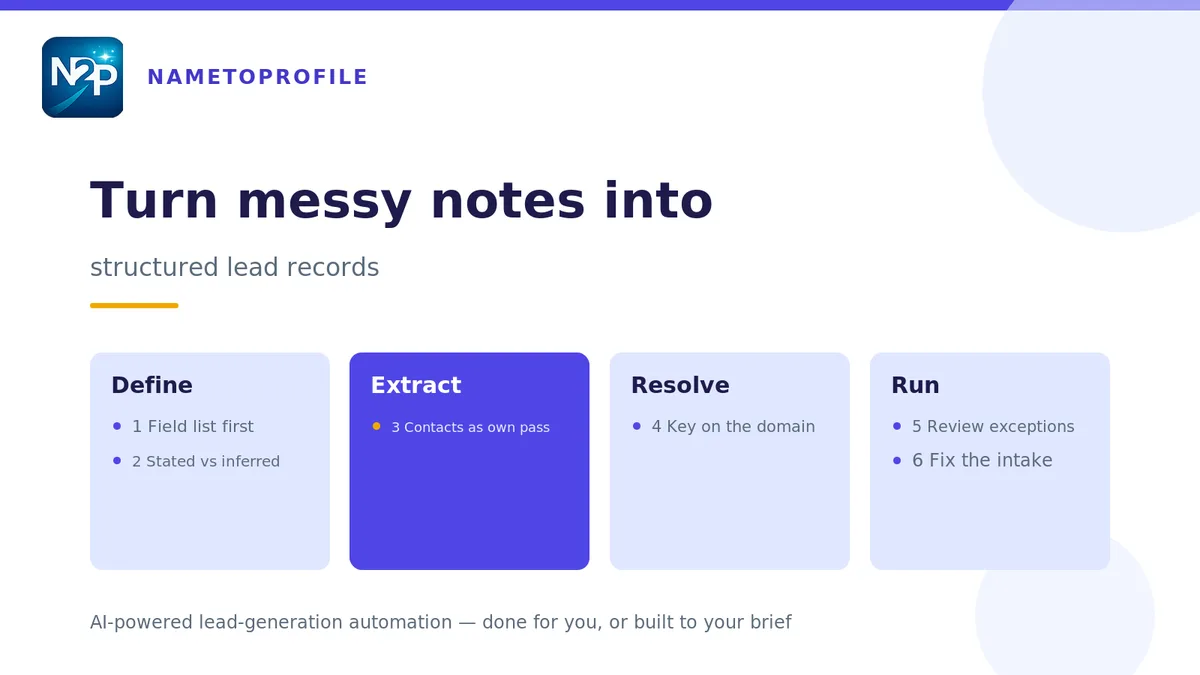
The fix is not more effort. It's deciding what "structured" means for your team, once, and then making everything conform to that shape. Here's how to do it in six steps.
Step 1 — Write down the field list before you look at the data
This order matters more than it sounds. If you start with the notes, you'll end up with a schema shaped by whatever happened to be in the first fifty records — which is how teams end up with a "mentioned competitor" column that's populated four times.
Start from the question instead: what do you need to know to decide whether this person is worth an hour? For most B2B teams that's a short list — person name, role, company, company domain, headcount band, industry, location, and one or two fields specific to how you qualify. If you haven't settled that list yet, we wrote a whole post on the fields a B2B lead list actually needs; start there and cut it down.
Ten to fifteen fields is usually right. Past twenty, adoption drops off a cliff, because nobody fills in a form with twenty-two boxes.
Step 2 — Separate what's stated from what's inferred
Some things in a note are quoted facts: the person said they're the VP of Ops, the email signature says the domain. Other things are conclusions someone drew: they "seem" to be evaluating vendors, the company is "probably" mid-market.
Keep those in different columns. A stated field can be trusted downstream and used in scoring rules without ceremony. An inferred field needs a confidence value attached to it, and it needs to be visibly inferred so nobody builds a territory rule on top of a guess someone made in a hurry.
Teams that skip this end up unable to explain why a lead was scored the way it was, which is the point at which people quietly stop trusting the scores.
Step 3 — Extract the contact details separately from the context
Emails and phone numbers are the one part of unstructured text that is genuinely easy to pull out, because they have shapes a machine can recognise. Treat them as their own pass rather than trying to do everything in one sweep.
If the source is a page you're looking at rather than a text blob — a directory listing, a public company page, a conference exhibitor list — ContactHarvest will pull the emails and phone numbers off the page you're on, score each one High, Medium or Low by confidence, pair emails to phones where it can tell they belong together, and normalise the numbers to international format. That extraction runs locally in your browser. Optional AI verification for the uncertain candidates costs 1 credit per batch of up to 25 and is off unless you turn it on.
Whatever you use, keep the confidence value. "We have an email" and "we have an email we'd bet on" are different rows in the same column, and the difference shows up in your bounce rate three weeks later.
Step 4 — Resolve the company to a domain, not a name
Company names in unstructured text are a mess by nature. "Acme", "Acme Corp", "the Acme team", "Acme (they got acquired?)". Four strings, one account.
The domain is the only stable key. Resolve to it early and key everything else off it. If you want the whole procedure — legal suffixes, case folding, subsidiary rules, and when to stop fuzzy matching — it's in the company-name normalization post.
Once you have the domain, the firmographics are a lookup rather than a judgement call. The Company Extractor turns public company data into structured firmographics — headcount band, industry, location, whatever your brief calls for — built to the field list you defined in step 1. Same for people: the Profile Extractor turns public profiles into structured, ICP-ready records in the shape your workflow expects, rather than the shape the source happened to use.
Step 5 — Automate the pass, then review the exceptions
Here's where most teams get the ratio wrong. They either review everything, which doesn't scale, or review nothing, which produces confident garbage.
The workable split is: automate the extraction, then look only at the rows the extraction wasn't sure about. On a typical batch that's 10–20% of records. Reviewing 60 rows out of 400 is a Tuesday afternoon. Reviewing 400 is a project nobody finishes.
This is exactly the case for a tool built to your brief rather than an off-the-shelf one — because "unsure" means something different for every team, and the threshold that decides what lands in your review queue is a business decision, not a technical one. Our tools pull from public web sources and structure the fields your workflow needs, and you review the output before anything moves.
Whatever you build, log which rows got reviewed and what changed. That log is how you find out your extraction is systematically wrong about one field, which is the sort of thing that's invisible row by row and obvious in aggregate.
Step 6 — Fix the intake, or you'll do this again next quarter
Everything above is remediation. It works, and it will keep needing to work, unless the reason the data arrived unstructured gets addressed.
Usually the reason is that structured entry is more annoying than typing a sentence. Three text boxes and a dropdown beat a paragraph only if the boxes are the right boxes and there aren't many of them. Which loops back to step 1: a tight field list is not just a data-modelling exercise, it's the thing that determines whether anyone actually uses the form.
Get the intake right and the backlog stops growing. It just doesn't shrink on its own — you'll still need one cleanup pass over the historical pile, and honestly, that's the one worth handing off.
What the finished shape looks like
Same lead, before and after:
| Before (notes field) | After (structured record) |
|---|---|
| "Spoke to Priya at Northwind — she runs ops there, maybe 200 people? Based in Manchester I think. They're looking at replacing their current setup early next year. priya.s@northwind.io, said to call the main line." | person_name: Priya S. (stated) |
| role: Operations lead (stated) | |
| company_domain: northwind.io (stated) | |
| headcount_band: 51–200 (inferred, medium) | |
| location: Manchester, UK (inferred, low) | |
| email: priya.s@northwind.io (high confidence) | |
| buying_trigger: replacement cycle, Q1 (inferred, medium) |
Nothing was invented. The confidence labels are doing the work — they're what lets you score this record without pretending the Manchester guess is as solid as the email address.
When to hand it over instead
There's a size past which this stops being a good use of your team's week. If the pile is tens of thousands of rows, or it's historical data nobody has an appetite for, or it needs to be right before a migration deadline, structuring it in-house is the expensive option.
That's what managed lead data cleaning is for — we normalise, dedupe and standardise the file against your field list and hand it back import-ready, with a summary of what matched and what didn't. It's cash-priced per delivered record and charged on delivery, so you're not paying for the rows we can't resolve.
For RevOps teams who own the CRM standard but not the pipeline that fills it, that's usually the pragmatic split: you define the schema and the confidence thresholds, and the backlog gets cleared by someone whose whole job that week is clearing backlogs.
The short version
Decide the fields before you look at the data. Keep stated and inferred apart. Pull contacts as their own pass and keep the confidence score. Key everything to a domain. Automate the extraction and review only the uncertain rows. Then fix the intake so the pile stops refilling.
None of it is clever. It's just done in the right order, which is the part that's usually missing.
You can try the workflow on your own data with 100 free credits — no card, no subscription. Start free.