Every B2B list starts decaying the moment you build it. People change jobs, companies get acquired, headcount and funding move, and the phone number that worked in March bounces in September. If your CRM is your system of record, that decay quietly poisons routing, segmentation, and every "personalized" message you send. These are the questions RevOps teams actually ask about stale data — and practical answers you can act on.
How fast does B2B data actually decay?
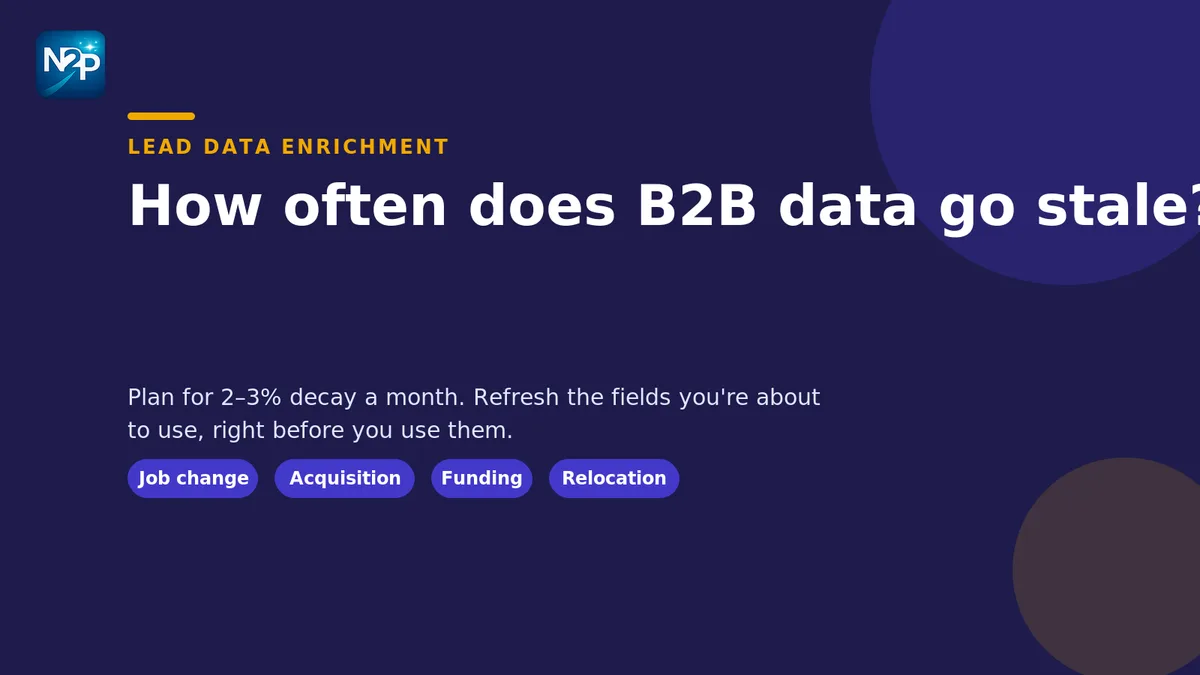
As a working rule, plan for roughly 2–3% of your contact records to go stale every month — call it 25–30% a year — with job-title and direct-dial fields decaying fastest. It's not evenly spread: a list of senior operators at high-growth companies rots faster than a list of owner-operators at stable small businesses, because the first group changes roles more often. The exact percentage matters less than the habit of assuming a fixed share is wrong at all times and building a refresh cadence around it.
What actually causes the decay?
Four things do most of the damage: people changing jobs (the email and the title both break at once), companies being acquired or renamed (firmographics and domains shift), funding rounds and layoffs (headcount, stage, and buying power move), and simple relocation (address, region, and sometimes phone). Notice that two of those are firmographic, not personal — which is why refreshing contact emails alone leaves you with the right person attached to the wrong company picture.
How do I tell if my list is already stale?
A few cheap signals: rising email bounce and "no longer at company" replies, sales reps quietly maintaining their own side spreadsheets because they don't trust the CRM, duplicate records for the same person under two employers, and firmographic fields that haven't been touched since import. If you're seeing any of these, the list is overdue. The pre-import version of this problem — data that's messy before it ever lands — is covered in our guide to cleaning a messy lead list before it reaches your CRM; this article is about the decay that sets in afterward.
How often should I refresh?
Match the cadence to how the field decays and how much you rely on it:
DataTypical decaySuggested refreshDirect dials & personal emailsFastBefore each outreach cycle, or quarterlyJob title & roleFastQuarterlyFirmographics (size, stage, industry)ModerateEvery 6 months, or on a funding/M&A signalCompany name & domainSlowAnnually, or on a rename/acquisition signal
The point isn't to re-verify everything on a calendar — it's to refresh the fields you're about to depend on, right before you depend on them.
Should I enrich the gaps or clean the mess first?
Clean first, then enrich. Enriching a list full of duplicates and malformed rows just spreads good data across bad records. Normalize and dedupe on a stable key, then append only the fields that change a decision. If you'd rather hand the cleanup off, lead data cleaning standardizes and de-duplicates the list, and lead data enrichment appends the missing firmographic and contact fields afterward. Our explainer on what lead data enrichment actually fixes covers which fields are worth appending and which are noise.
Can I refresh the data myself?
Yes — and for small, ongoing touch-ups you should. When a record looks stale, you can pull the current emails and phone numbers straight off the prospect's public page with ContactHarvest and re-check the company details from public firmographics with the Company Extractor — the fields that actually change an account decision. Both read what's publicly available and leave you in control of what gets written back to the CRM — nothing is sent or synced on your behalf. That covers the "one record went stale" case without a project.
When does it make sense to hand the refresh off?
When the volume is a project rather than a touch-up. Re-verifying thousands of records, or rebuilding a target account list after a wave of acquisitions, is exactly the kind of repetitive, high-volume work worth delegating. A managed enrichment pass refreshes the fields across the whole list, and if the account picture itself has drifted, account list building rebuilds the target list against your current ICP instead of patching an old one. Managed work is priced per delivered record and charged on delivery — see done-for-you for the model and turnaround.
Whose job is this, anyway?
Data hygiene usually falls to RevOps, because they own the consequences — routing, reporting, and CRM trust all break when the data drifts. If that's you, our RevOps use case shows how a scheduled refresh keeps the system of record honest without turning into a full-time job. The teams that stay clean don't clean harder; they refresh on a cadence and only touch the fields they're about to use.
Want to refresh a stale record or two yourself before committing to a full pass? Start free with 100 credits — no card, no subscription.